

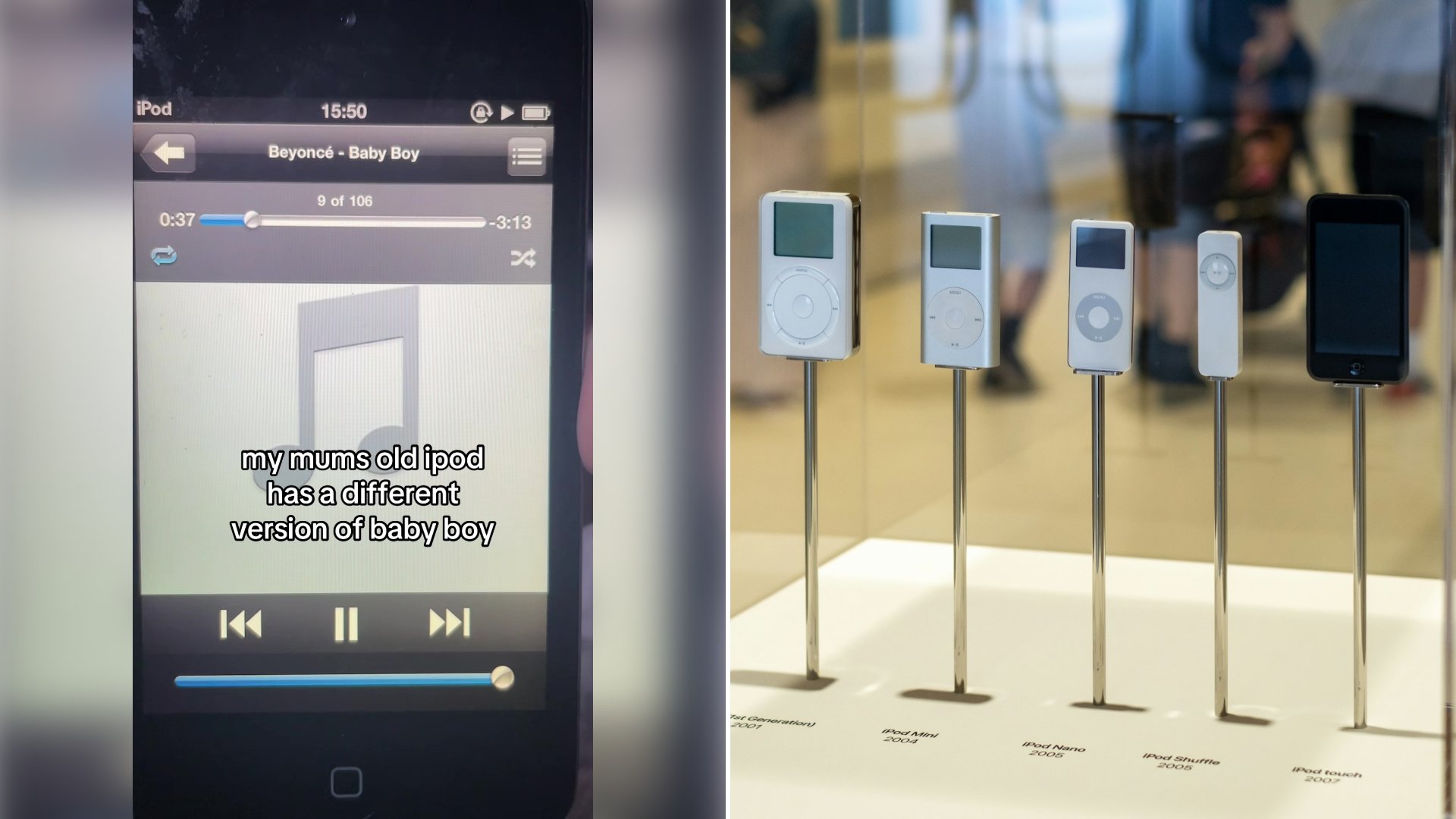
The title bar on the old iPod reads Beyoncé and Baby Boy, the counter underneath says track 9 of 108, and the progress bar sits at 0:36 when the clip starts. Laid over the music player is a single line of text from @whereistaran: “my mums old ipod has a different version of baby boy.”
That is the whole post. The 15 second video stays on the Now Playing screen as the song runs from 0:36 to 0:50, with the pause button lit, the shuffle and repeat icons in their usual places and a plain gray music note where album art would normally be. His caption reads “this is so cool,” tagged with Beyoncé, Sean Paul, iPod and the 2000s.
One number on that screen is worth writing down. At 0:36 the counter shows 3:14 remaining, so the copy of Baby Boy saved on his mum’s iPod runs 3 minutes 50 seconds in total. The post does not say how this version sounds different from the one he knows or which edit or remix it is, and this article does not guess.
The device itself is a touchscreen iPod with a round home button below the screen, and the clock in its status bar reads 15:50, ticking to 15:51 partway through the clip. The library on it holds 108 songs in the list he is playing from, with Baby Boy sitting ninth.
According to the Official Charts Company, Baby Boy, credited to Beyoncé featuring Sean Paul, entered the UK Official Singles Chart on October 18, 2003, peaked at number 2 and stayed on the chart for 17 weeks.
The player in his hands belongs to a product line that has now ended. Apple introduced the original iPod on October 23, 2001, describing it as a pocket player that held 1,000 songs, and on May 10, 2022 it said in its newsroom announcement that the iPod touch would be available only while supplies last.
How to check what is really on an old family iPod
Start the way this clip does. Open the song on the Now Playing screen and record the details shown there: the artist and title in the bar, the track position (here, 9 of 108) and the time elapsed plus the time remaining. Add those two times together to get the full length of the file, as with the 3:50 on this iPod.
Then open the same song on the album page of the streaming service you use and compare the running time. A gap of even a few seconds tells you the files are not identical, and it gives you something concrete to point to rather than a feeling that the song sounds off.
Play both versions from the same point, using the timestamp on the iPod screen as your marker, and note exactly where they part ways: an extra verse, a different intro, a missing guest part or a changed ending. Write the timestamp next to each difference.
Before connecting an old iPod to a computer, stop it from syncing on its own. Apple’s iTunes for Windows guide says to go to Edit, then Preferences, open Devices and select “Prevent iPods, iPhones, and iPads from syncing automatically,” or to clear “Automatically sync when this device is connected” in the device’s Summary pane.
For songs that were bought from the iTunes Store, Apple’s iTunes help page sets out how to copy them to a computer: authorize the computer under Account, then Authorizations, then Authorize This Computer; connect the iPod; and click Transfer Purchases. Apple says the purchases can be moved to any computer authorized to play them, and that iTunes Plus songs can play on an unlimited number of computers while other iTunes Store purchases play on up to five.
More from Vinyl and Velvet
- Shopper Buys a Handful of Vintage iPods at the Flea Market and Brings Them Home to Test Each One as Waiting to See Which Devices Still Power On Becomes Pure Suspense
- iPod Turns 25: The Product That Quietly Ended an Entire Industry
- Those Plastic Case Logic CD Binders You Definitely Threw Away Years Ago Have Somehow Become a Genuine Y2K Thrift-Store Novelty Find

Leave a Reply